Sorry, this entry is only available in 日本語 .
よく忘れることなのでメモしておきます。
application.js.coffee
Rails では あらかじめ application.js が用意されていますが、 これを coffeescript の形式にしたいと思うことがよくあります。 そういうときは次のように 上部のコメントアウト // を # に書き換えます。
# This is a manifest file that'll be compiled into application.js, which will include all the files
# listed below.
#
# Any JavaScript/Coffee file within this directory, lib/assets/javascripts, vendor/assets/javascripts,
# or vendor/assets/javascripts of plugins, if any, can be referenced here using a relative path.
#
# It's not advisable to add code directly here, but if you do, it'll appear at the bottom of the
# compiled file.
#
# Read Sprockets README (https://github.com/sstephenson/sprockets#sprockets-directives) for details
# about supported directives.
#
#= require jquery
#= require jquery_ujs
#= require turbolinks
# require_tree .
最後の require_tree は意図的に無効にしています。 余計な javascript まで読み込むので。
こちらは Rails 4.2.5, Ruby 2.0.0 で動くことを確認しています。
また、 Rails の変数・定数を使いたい場合に application.js.erb にしたこともあります。
Memorized the way to round down number to the nth decimal places in Ruby.
The number like 0.81235 (Float) has function floor, which round down the number to zeal number, can’t round down to some decimal places.
Environment
Ruby 2.2.3p173
OS: Ubuntu 15.04
Continue reading Ruby: Round Down with some decimal places →
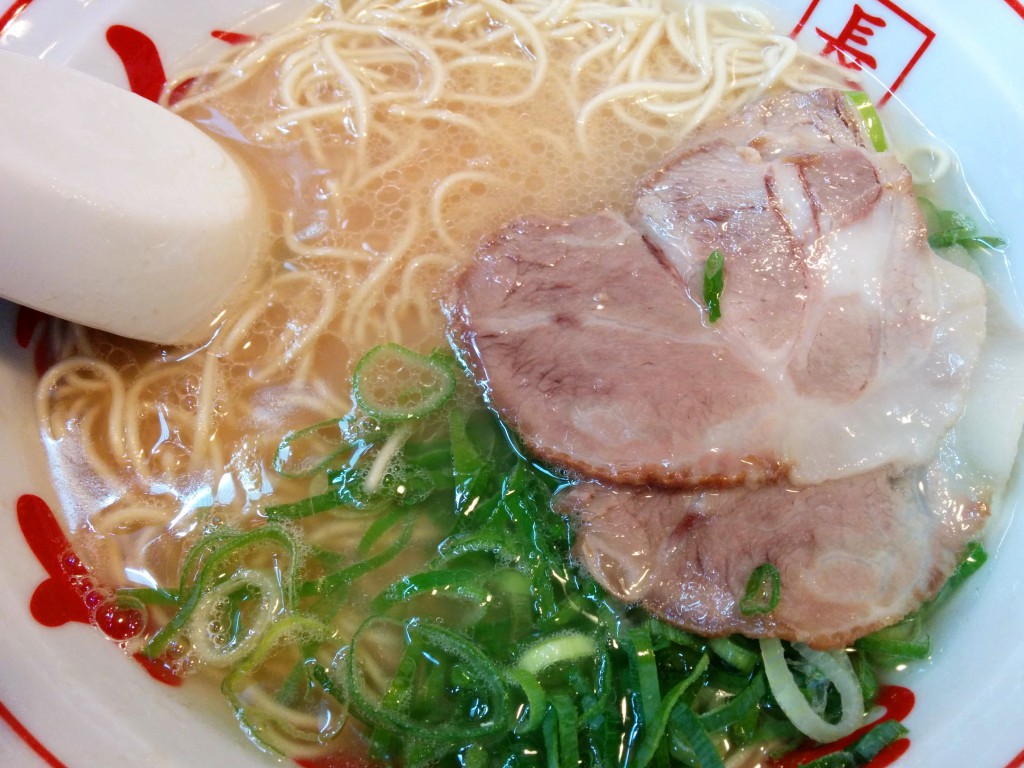
I ate Nagahama Ramen for 700 yen, at Hogashiginza Yamachan. Nagahama is the name of place in Chuo-ku, Fukuoka city, Fukuoka prefecture.
It’s just north from Kabukiza. The shop has wood door, good fashion.
System
Buy tickets at the vending machine. 券売機がありますが、店員さんも近くにいます。
ランチは替え玉またはライスが無料でつけられます。
Menu
Most reasonable menu is Nagahama Ramen, 700 yen.
You can choose your favorite firmness of noodle.
辛子高菜、ごま、紅生姜は入れ放題です。
本場の味がすると評判の 豚骨ラーメン もあります。
Location
The nearest station is Higashi Ginza. You can walk from Giza, Shintomicho and Tsukiji station. 築地市場、銀座一丁目からだと少し遠く感じます。
I created SVG default user icon. これを使えばいちいち画像を用意する必要はありません。
Continue reading SVG Default User Icon →
Here are some exceptions I bumped into on upgrading from Cells 3 gem to Cells 4. ここにある対処法は、 それぞれの Cell クラス に対して行ってもいいですが、 it is easier to create the parent class, ApplicationCell.
対処した最終結果は Rails: Cells 3 から Cells 4 へのアップグレード に記載しています。
Exception: undefined method helper_method
The following error was raised in lib/devise/controllers/helpers.rb. The version of device gem I used at that time was 3.5.2.
undefined method `helper_method’ for XyzCell:Class
Add the following code to Cell class.
def self . helper_method ( * )
end
It is empty method but there’s no problem. With Cells 3, we have to call self.helper_method but with Cells 4 we don’t have to do that and its method was removed.
Reference: apotonick/cells Issue Not working with react-rails
Exception in dom_class
The following exception may occur.
undefined method `dom_class’ for #<XyzCell:0x007ff36d4fecb0>
Add the following code to Cell class.
def dom_class ( record , prefix = nil )
ActionView :: RecordIdentifier . dom_class ( record , prefix )
end
def dom_id ( record , prefix = nil )
ActionView :: RecordIdentifier . dom_id ( record , prefix )
end
Reference: apotonick/cells Troubleshooting
Exception concerns number_with_delimiter is raised
Add include ActionView::Helpers::NumberHelper to Cell class.
Posts navigation
A Life Summary of an Gypsy